
Best Digital Wall Calendar · iPhone & Apple

Best Digital Wall Calendar for iPhone Users

For iPhone families, our pick is the Skylight Calendar 2: Skylight lists iCloud alongside Google, Outlook, Yahoo and Cozi, and its mobile app is free. Skylight’s help pages disagree on whether iCloud sync is two-way, so plan on adding events from your iPhone. Cozyla says its iCloud sync sends edits back, using an app-specific password.

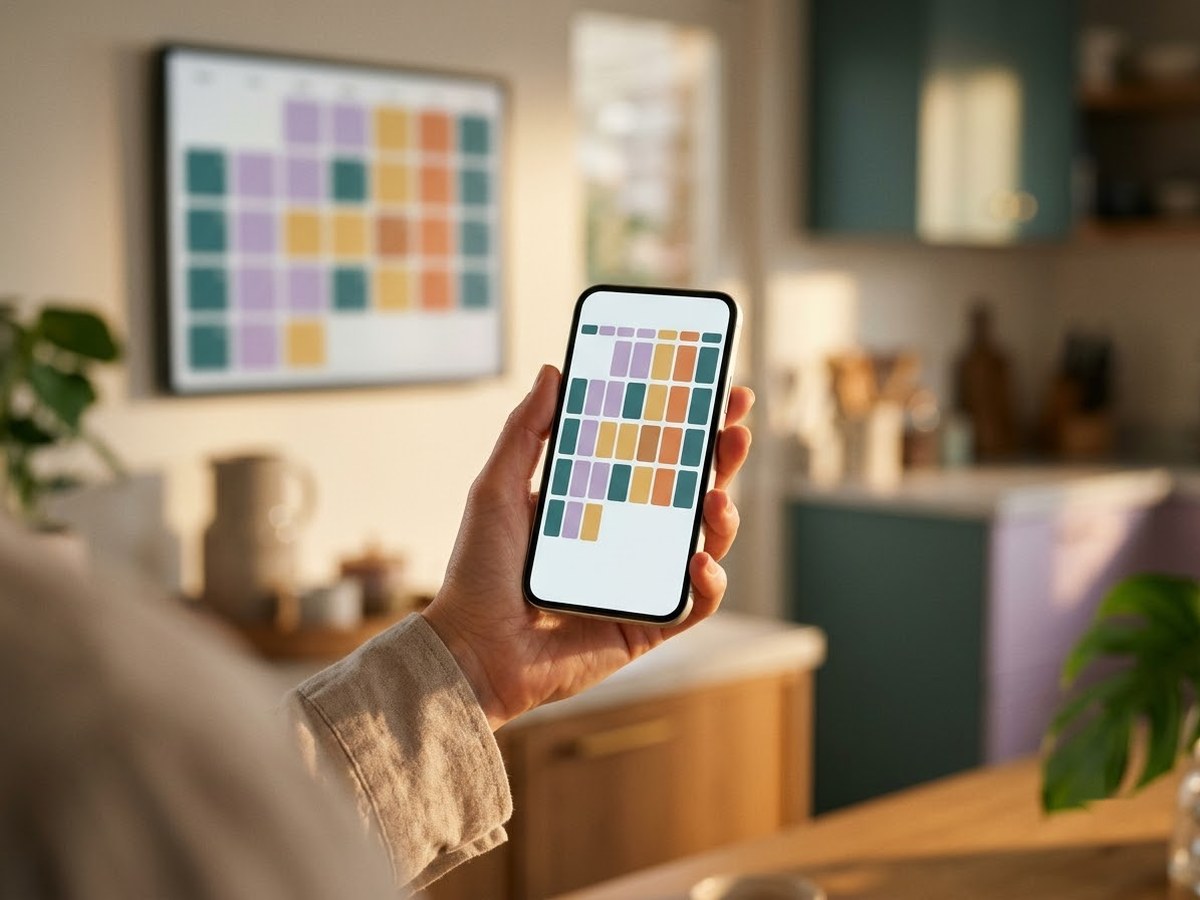
Hand holding a smartphone with a calendar app in front of a matching digital wall calendar on a kitchen wall

Our top 3

Top picks at a glance

Best for iPhone families#1
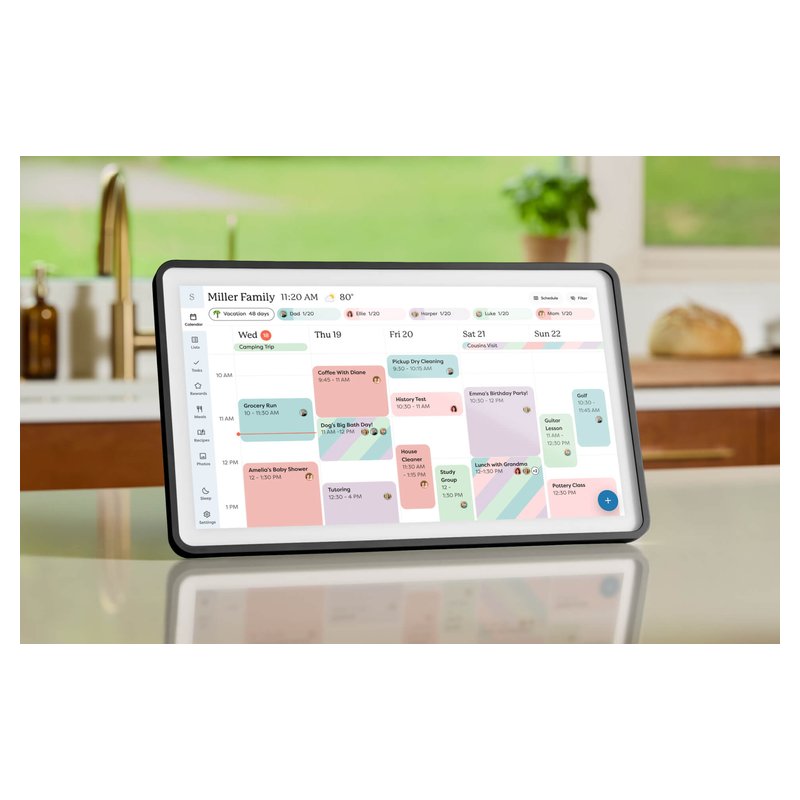
Skylight Calendar 2 (15-inch) calendar

Skylight Calendar 2 (15-inch)

Mid-range price range

iCloud, Google and Outlook on one calendar-first screen, with no camera.

See details ›
Best two-way iCloud#2
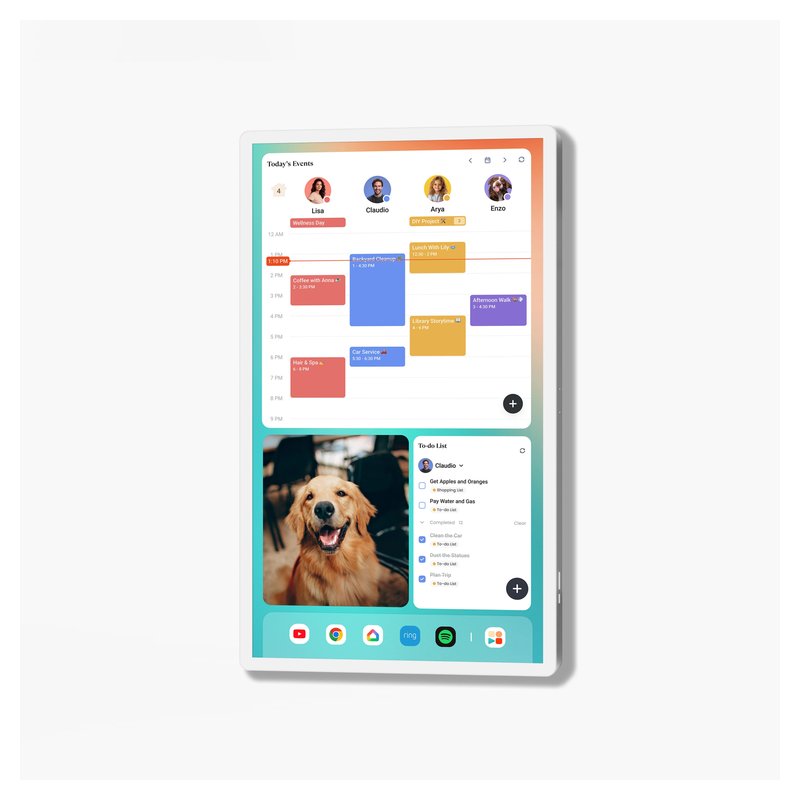
Cozyla Calendar Plus 2 (24-inch) calendar

Cozyla Calendar Plus 2 (24-inch)

Premium price range

Cozyla says edits made on the screen sync back to iCloud, Google and Outlook.

See details ›
Best value for Apple users#3
Apolosign Digital Calendar (15.6-inch) calendar

Apolosign Digital Calendar (15.6-inch)

Budget price range

Adds iCloud as a shared calendar, with a stand and wall mount included and no plan required.

See details ›

In detail

Who each one suits

Specifications, sync lists and subscription terms are each brand’s own; notes draw on brand help centers and independent reviews. We have not tested or used these calendars ourselves.

Best for iPhone families#1

Skylight Calendar 2 (15-inch)

Skylight’s current 15-inch calendar is the one to start with if you want a dedicated family screen that just shows the schedule. It reads Google, iCloud, Outlook, Yahoo and Cozi calendars, comes with both a wall mount and a countertop stand, and has no camera or microphone, according to Skylight.

Why it stands out

  • Syncs the calendars most US families already use: Google, Apple iCloud, Outlook, Yahoo and Cozi, plus TeamSnap and other links one-way (Skylight’s list).
  • Skylight’s product page lists the calendar, Tasks Manager, lists and phone app as free; Plus ($79 a year, per Skylight) adds meal planning, rewards, photos and Magic Import.
  • Wall or counter out of the box, in landscape or portrait, with swappable frames.
Screen15-inch class, 1080p touch
PlacementWall or counter (stand and mount included)
Syncs withGoogle, iCloud, Outlook, Yahoo, Cozi
SubscriptionOptional Plus, $79/yr per Skylight
CameraNone (no mic)

Good fit if

  • You want a calendar-first screen with no camera or microphone.
  • Your family is split between iPhone and Android.
  • You may want the meal-planning and rewards extras later.

Skip it if

  • You will not pay a yearly fee and want meal planning or rewards included — look at Cozyla Plus 2, Dragon Touch or Everblog.
  • You need it on a fridge: Reviewed notes it is not magnetized.

Buying from Skylight’s own store adds its 3-year “Skylight Promise”; Skylight says purchases made on Amazon are not covered by it.
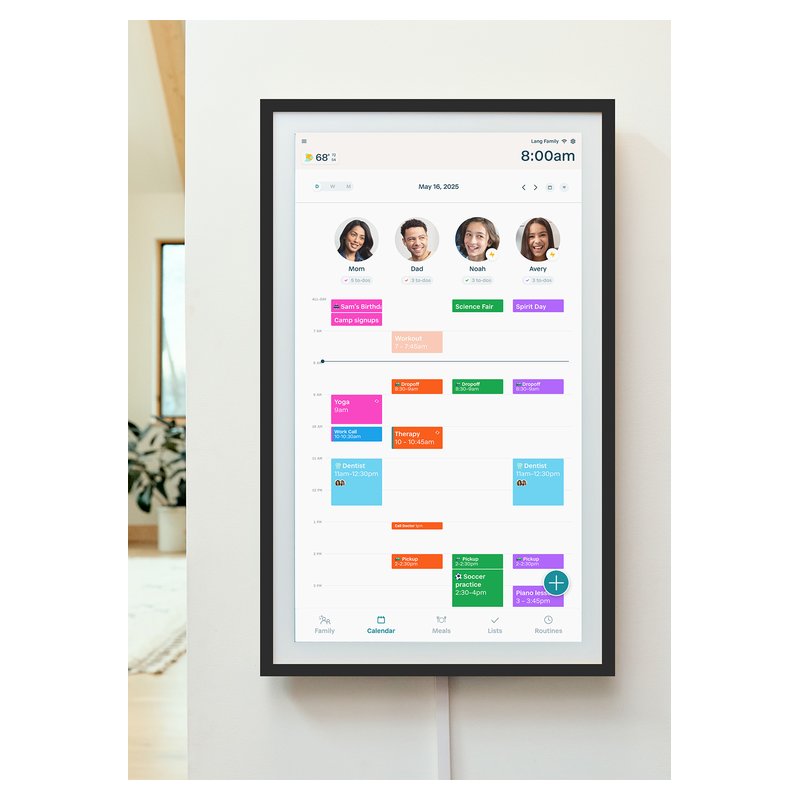
Best two-way iCloud#2

Cozyla Calendar Plus 2 (24-inch)

Cozyla’s 24-inch Calendar Plus 2 is the strongest case for skipping a subscription: Cozyla says calendar sync, chores, rewards and meal planning all work without a paid plan. It is an Android 14 device with Google Play, so it doubles as a big wall tablet.

Why it stands out

  • Two-way sync with Google, iCloud (via an app-specific password), Outlook and CalDAV, plus Yahoo, Cozi or any calendar link.
  • Up to 8 profiles; chores with points and reminders; meal planner that builds a grocery list.
  • Rotating wall mount included, so it can hang in portrait or landscape.
Screen24-inch touch
PlacementWall (rotating mount included)
Syncs withGoogle, iCloud, Outlook, Yahoo, Cozi, CalDAV
SubscriptionNot required; optional AI plan
CameraNone built in

Good fit if

  • You want family features included in the price.
  • You like the idea of Google Play apps on the same screen.

Skip it if

  • You want the simplest possible screen for a grandparent: an Android tablet has more to learn.
  • You want a small counter display: look at the 15.6-inch models.

The optional Calendar Super plan ($69.99 a year, per Cozyla) adds Smart Planning, Smart Input, an Art Gallery and the unlimited AI Voice Agent. Reviewers at T3 found some invites did not sync until the phone app was opened.

Best value for Apple users#3

Apolosign Digital Calendar (15.6-inch)

Apolosign’s 15.6-inch calendar comes with both a desk stand and a wall mount and, according to Apolosign, needs no subscription. It runs certified Android with Google Play and switches between a dedicated calendar mode and a normal Android mode.

Why it stands out

  • Syncs Google, Apple, Outlook, Yahoo and Cozi calendars (iCloud is added as a shared calendar).
  • Anti-glare 1080p screen; landscape or portrait.
  • Wall mount and desk stand both in the box; Wi-Fi 6.
Screen15.6-inch, 1080p anti-glare touch
PlacementWall or counter (both included)
Syncs withGoogle, Apple, Outlook, Yahoo, Cozi
SubscriptionNot required, per Apolosign
CameraNone listed

Good fit if

  • You want a mid-size screen without a yearly fee.
  • You want the option of Google Play apps.

Skip it if

  • You want the most polished, calendar-only software — Skylight is simpler.
  • You want AI features without paying: a retail listing describes those as an optional subscription.
Also worth a look

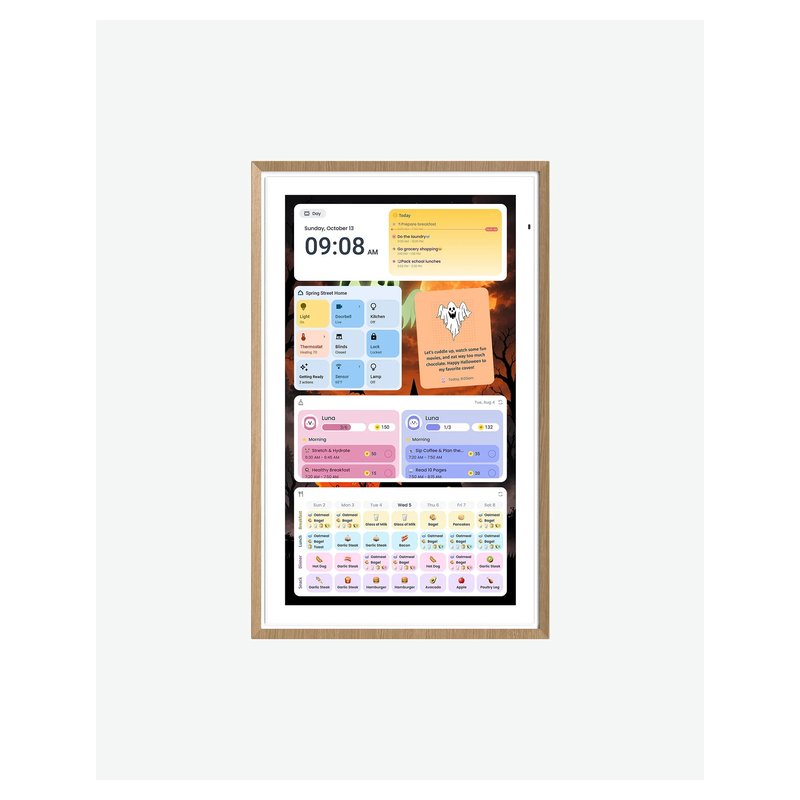
Hearth Display (27-inch)

Hearth is a tall, portrait-only 27-inch screen built around routines, to-dos and rewards for kids. It is the most “family command center” of the group, and the most expensive to run: those routine and reward features need Hearth’s Family Membership.

Why it stands out

  • Kids earn stars for routines and to-dos and spend them on rewards you set, with streak tracking (Hearth’s description).
  • Hearth Helper turns a photo of a paper schedule or school lunch menu into events for a parent to approve.
  • Two-way sync with Google, so events added on the screen land in Google Calendar.
Screen27-inch touch, portrait
PlacementWall only (mount included)
Syncs withGoogle, Apple, Outlook, Cozi
SubscriptionFamily Membership, $9/mo per Hearth
CameraNot stated by Hearth

Good fit if

  • Your main goal is morning and bedtime routines for young kids.
  • You have a wall near an outlet and are happy to pay $9 a month (Hearth’s price) for the extras.

Skip it if

  • You want a counter display: Forbes notes it is not designed for a desk or counter.
  • You want to avoid an ongoing fee: lists, routines, rewards and meal planning all need membership.

Hearth’s own pages disagree on whether membership is needed just to set up the screen; plan on starting the 30-day trial.

All iPhones in the house?

Share one iCloud family calendar and point the wall screen at it. Our top iPhone pick reads iCloud alongside Google and Outlook.

What families say ›

Tips

Three things that make the difference

01

Use the Family calendar

Apple says Family Sharing creates a shared calendar called “Family” automatically. Syncing that one calendar is simpler than linking every iPhone.

02

Expect an app-specific password

Cozyla says iCloud needs an app-specific password, and Alexa linking needs two-factor authentication plus one. Have your Apple Account to hand during setup.

03

Own the calendars you sync

Skylight says you must be a calendar’s direct owner, not just a viewer, to sync it. If a calendar belongs to someone else, have its owner connect it from their own account.

Honest note

Apple does not make a wall calendar, so every option here relies on the brand’s iCloud connection. If iCloud sync is one-way on your screen, events added on the wall stay on the wall. Test it during the return window.

FAQ

Questions people ask

Does Skylight work with iPhone?

Yes. Skylight lists Apple iCloud among its calendar sources, and you can add events from its free mobile app. Its sync article calls iCloud two-way, but its setup guide says only Google is two-way, so confirm after setup.

What is the best digital calendar for iPhone users?

For most iPhone households, the Skylight Calendar 2, for its simple app and iCloud support. If you want edits on the wall to flow back to iCloud, Cozyla says its Calendar Plus 2 does that.

How do I sync my iPhone calendar to a digital calendar?

Connect your iCloud account in the brand’s app and pick the calendars to show. Some brands, including Cozyla, ask for an app-specific password from your Apple Account settings rather than your normal password.

Can I share an iCloud calendar with the whole family?

Yes. Apple says Family Sharing creates a shared “Family” calendar automatically. On iCloud.com you can also invite people by email with editing or read-only access.

Can a wall calendar show both iPhone and Android calendars?

Yes. Skylight, Cozyla, Apolosign and Dragon Touch all list both Apple and Google calendars, so a mixed family can show both on one screen, color-coded by person.

Does Echo Show work with iCloud calendars?

Alexa can link an Apple calendar through the Alexa app, which needs two-factor authentication and an app-specific password, according to The Ambient. The Echo Show then shows those events.

Your iPhones, one shared wall

Want the full picture? See our best digital wall calendar picks, compared by sync, size and subscription, and the FAQ on setup and privacy.