
Best Digital Wall Calendar · Seniors

Best Digital Calendar for Seniors

For an older adult who mainly needs to know the day and date, the American Lifetime Day Clock is the simplest choice: it spells out the day, time and date and needs no Wi-Fi or app. If family members should add appointments from their phones, a synced calendar such as the Skylight Calendar 2 does that. Neither is a medical device; talk to a doctor about any memory changes.

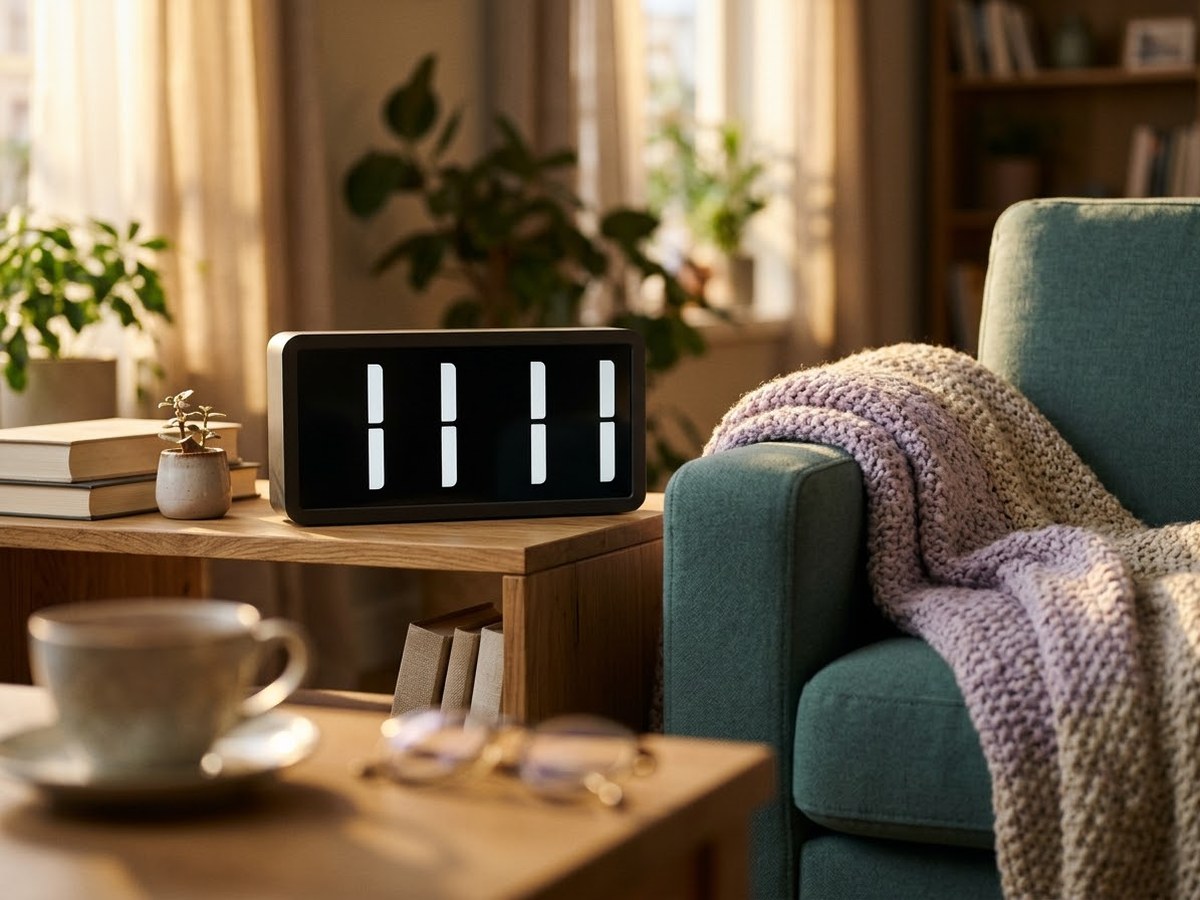
Large day-and-date clock on a side table beside an armchair in a bright living room

Our top 3

Top picks at a glance

Simplest day-and-date#1
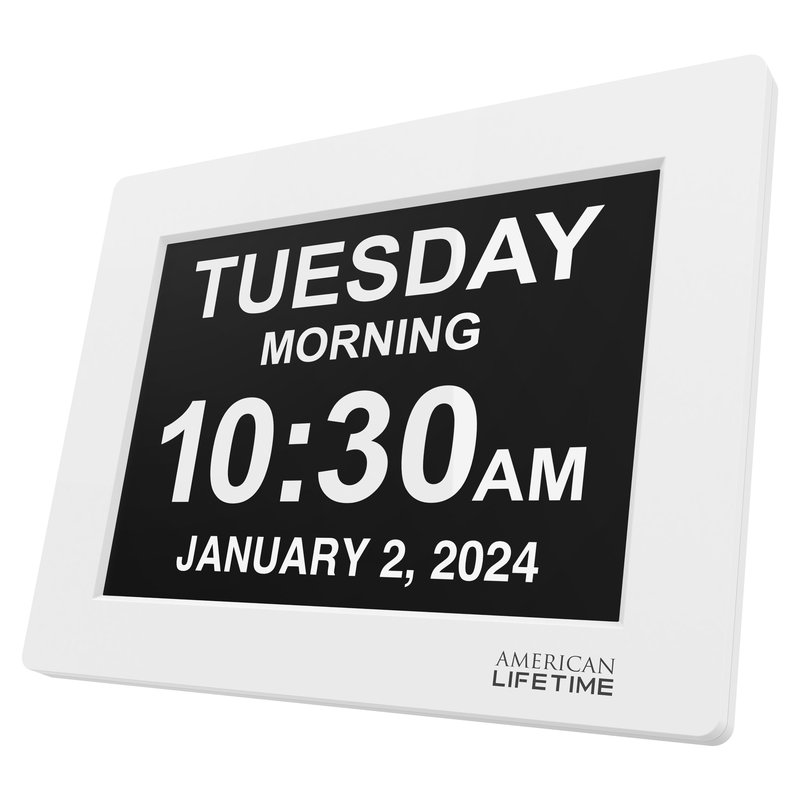
American Lifetime Day Clock (8-inch) calendar

American Lifetime Day Clock (8-inch)

Budget price range

Plug-in day clock with no Wi-Fi, no touchscreen and no subscription.

Read reviews ›
Best family-managed calendar#2
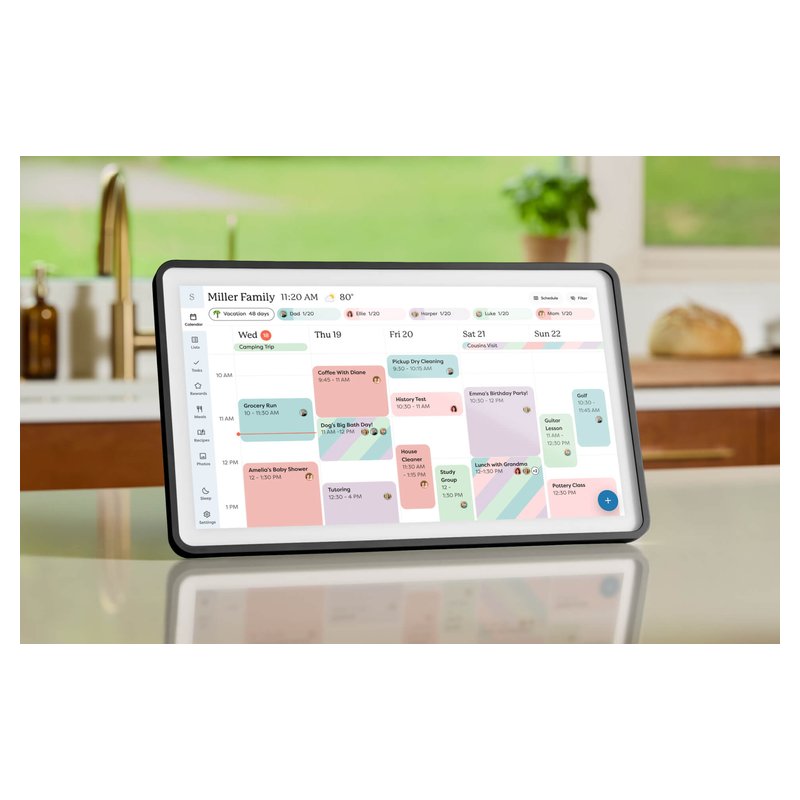
Skylight Calendar 2 (15-inch) calendar

Skylight Calendar 2 (15-inch)

Mid-range price range

Family members add appointments from their phones; no camera or mic, per Skylight.

Read reviews ›
Best with voice and video#3
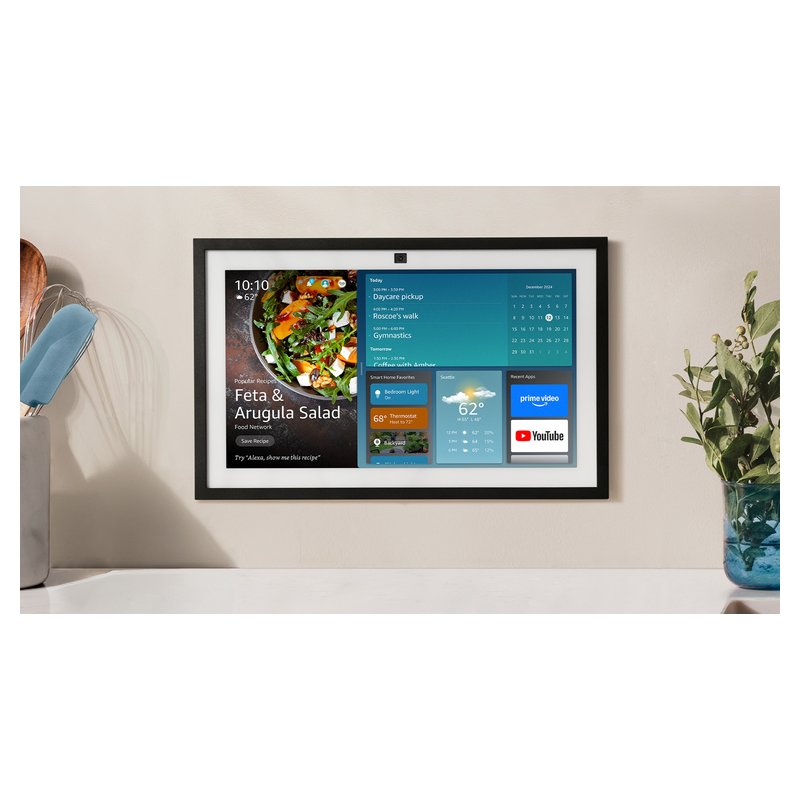
Amazon Echo Show 15 (2nd gen) calendar

Amazon Echo Show 15 (2nd gen)

Budget price range

An Alexa screen that shows a calendar and can make video calls; it has a camera.

Read reviews ›

In detail

Who each one suits

Specifications, sync lists and subscription terms are each brand’s own; notes draw on brand help centers and independent reviews. We have not tested or used these calendars ourselves.

Simplest day-and-date#1

American Lifetime Day Clock (8-inch)

This is not a smart calendar: it is an 8-inch day clock that spells out the day, part of the day, date and time with no abbreviations. It needs no Wi-Fi, account or app, which is the point for someone who just needs to know what day it is.

Why it stands out

  • Shows the time, part of day (morning, afternoon), weekday, date and month in large words.
  • Plug in and go: no Wi-Fi, no subscription, button controls rather than a touchscreen.
  • Up to five alarms or reminders and auto-dimming, per American Lifetime.
Screen8-inch, non-touch
PlacementTable stand or wall hook
Syncs withNone (no Wi-Fi)
SubscriptionNone
CameraNot listed

Good fit if

  • An older relative only needs the day and date, not a schedule.
  • Their home has no Wi-Fi.

Skip it if

  • You want to add appointments remotely — a synced calendar like Skylight does that.
  • You want automatic daylight saving: BestReviews noted it does not adjust on its own.
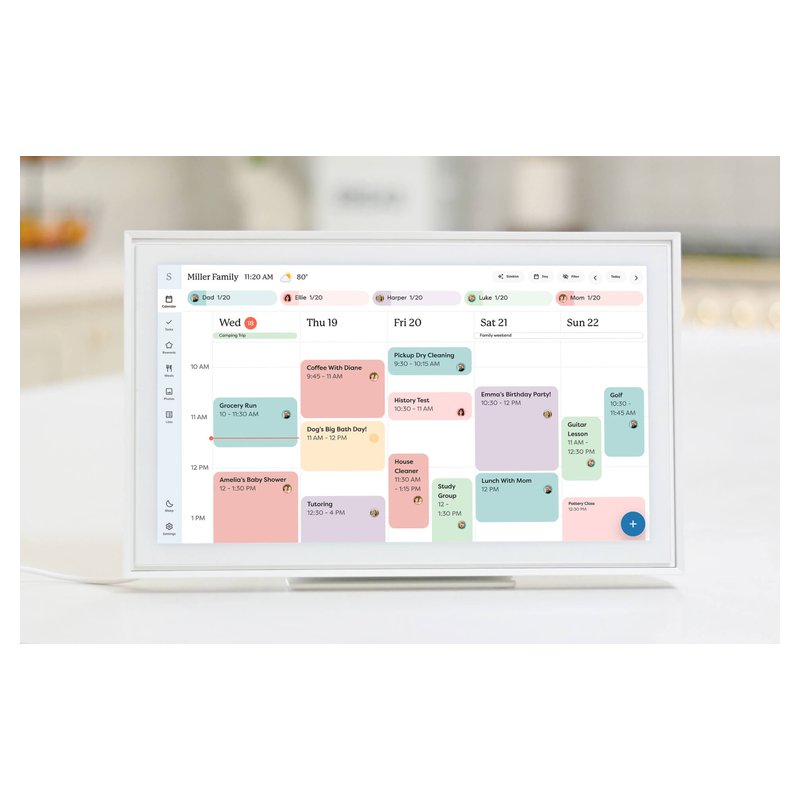
Best family-managed calendar#2

Skylight Calendar 2 (15-inch)

Skylight’s current 15-inch calendar is the one to start with if you want a dedicated family screen that just shows the schedule. It reads Google, iCloud, Outlook, Yahoo and Cozi calendars, comes with both a wall mount and a countertop stand, and has no camera or microphone, according to Skylight.

Why it stands out

  • Syncs the calendars most US families already use: Google, Apple iCloud, Outlook, Yahoo and Cozi, plus TeamSnap and other links one-way (Skylight’s list).
  • Skylight’s product page lists the calendar, Tasks Manager, lists and phone app as free; Plus ($79 a year, per Skylight) adds meal planning, rewards, photos and Magic Import.
  • Wall or counter out of the box, in landscape or portrait, with swappable frames.
Screen15-inch class, 1080p touch
PlacementWall or counter (stand and mount included)
Syncs withGoogle, iCloud, Outlook, Yahoo, Cozi
SubscriptionOptional Plus, $79/yr per Skylight
CameraNone (no mic)

Good fit if

  • You want a calendar-first screen with no camera or microphone.
  • Your family is split between iPhone and Android.
  • You may want the meal-planning and rewards extras later.

Skip it if

  • You will not pay a yearly fee and want meal planning or rewards included — look at Cozyla Plus 2, Dragon Touch or Everblog.
  • You need it on a fridge: Reviewed notes it is not magnetized.

Buying from Skylight’s own store adds its 3-year “Skylight Promise”; Skylight says purchases made on Amazon are not covered by it.

Best with voice and video#3

Amazon Echo Show 15 (2nd gen)

The Echo Show 15 is a 15.6-inch Alexa smart display that can hang on a wall and show a shared family calendar, lists and sticky notes. It is a good fit if you already live with Alexa, and a poor fit if you want a screen without a camera.

Why it stands out

  • Links Google, Microsoft and Apple calendars through the Alexa app.
  • Doubles as a smart home controller with a built-in hub, per Tom’s Guide.
  • Wall mount and remote in the box.
Screen15.6-inch, 1080p touch
PlacementWall (mount included); stand extra
Syncs withGoogle, Microsoft, Apple via Alexa app
SubscriptionAlexa+ $19.99/mo or free with Prime
Camera13MP with physical shutter

Good fit if

  • Your home already uses Alexa.
  • You want smart home control and Alexa as well as a calendar.

Skip it if

  • You want no camera in the kitchen: it has a 13MP camera (with a physical shutter).
  • You want several family calendars side by side: Forbes found it weaker at showing more than one.

Amazon has also announced a newer Echo Show 16; check which model is current when you buy.

Also worth a look

Skylight Calendar (original 15-inch)

The original 15-inch Skylight runs the same software as Calendar 2, with slightly less memory (2GB of RAM versus 3GB, per Skylight). If the listing price is lower than Calendar 2 when you check, it is the cheaper way into the same app and sync list.

Why it stands out

  • Same calendar sync, chore chart and phone app as Calendar 2.
  • 1080p IPS touchscreen with stand and wall mount included.
  • No camera or microphone, according to Skylight’s spec sheet.
Screen15-inch, 1080p touch
PlacementWall or counter
Syncs withGoogle, iCloud, Outlook, Yahoo, Cozi
SubscriptionOptional Plus, $79/yr per Skylight
CameraNone (no mic)

Good fit if

  • You want Skylight’s software and the lowest Skylight price.
  • You do not care about swappable frames.

Skip it if

  • The price gap to Calendar 2 is small when you check — the newer model is the safer buy.
  • You want meal planning or rewards without a subscription.

Want to add Mom’s appointments from your phone?

A synced calendar lets the family keep the schedule current from anywhere. Our pick has no camera or microphone, according to Skylight.

Read owner reviews ›

Tips

Three things that make the difference

01

Start with what they need to know

If the question is “what day is it?”, a day clock answers it with no setup. If it is “when is my appointment?”, a calendar the family updates fits better.

02

Keep the screen simple

Fewer buttons and apps mean less to learn. The American Lifetime clock uses button controls and no touchscreen, per the brand.

03

Check Wi-Fi before you buy

Skylight says its calendar needs Wi-Fi at all times, and Hearth needs Wi-Fi to set up. If the home has no reliable Wi-Fi, a day clock is the practical choice.

Honest note

A calendar is a reminder tool, not a treatment. The National Institute on Aging suggests memory tools such as calendars and notes, but it does not say any device slows memory loss. If you are worried about a relative’s memory, start with their doctor.

FAQ

Questions people ask

What is the best digital calendar for seniors?

For knowing the day and date, a plug-in day clock such as the American Lifetime model is the simplest. For appointments the family can update remotely, a synced calendar like the Skylight Calendar 2 works better.

Do day clocks help people with dementia?

They are a reminder aid, not a treatment. The Alzheimer’s Association says people in the early stage may need cues and reminders, and NIA suggests calendars and notes. Ask their doctor or care team what suits them.

Can I update my parent’s calendar from my phone?

Yes, with a synced smart calendar. Add events to a shared Google or iCloud calendar, or in the brand’s app, and they appear on their screen. A simple day clock cannot do this.

Does a digital calendar for seniors need Wi-Fi?

Smart calendars do; Skylight says its calendar needs Wi-Fi at all times. A day clock like the American Lifetime model does not, because it only shows the date and time.

Should I choose a calendar with a camera?

Only if they want video calls. The Echo Show 15 has a 13MP camera with a physical shutter. Skylight says its calendars have no camera and no microphone.

Does the American Lifetime clock change for daylight saving?

Not on its own, according to BestReviews, so someone will need to adjust it twice a year. American Lifetime says its battery backup keeps the time only; the clock needs power to run.

Make the day easy to read

Want the full picture? See our best digital wall calendar picks, compared by sync, size and subscription, and the FAQ on setup and privacy.