
Yes, for a busy household that already keeps its plans in phone calendars, a digital wall calendar is usually worth it. It pulls those calendars onto one shared screen that everyone can read without opening an app. Skylight, for example, says its calendar syncs with Google, Apple iCloud, Microsoft Outlook, Cozi and Yahoo. Most models add chore charts and lists on top. The real value is visibility: kids and partners can check what is happening today without asking. In Pew Research Center’s 2026 survey of working parents, 54% said balancing work and family is difficult, and a wall screen is one low-effort way to put everyone’s schedule in one place.
It is not worth it for everyone. A screen costs far more than paper, it needs Wi-Fi and a power outlet, and some brands charge a yearly fee for the features shown in their ads. Skylight lists its Plus plan at $79 a year, and Hearth lists its Family Membership at $9 a month. If one person runs the whole schedule, if nobody keeps a phone calendar, or if the family already checks a shared app, a paper calendar or a free app may be enough. We have not tested these calendars ourselves. This guide relies on brand pages, help centers and published reviews.
What a digital wall calendar actually does
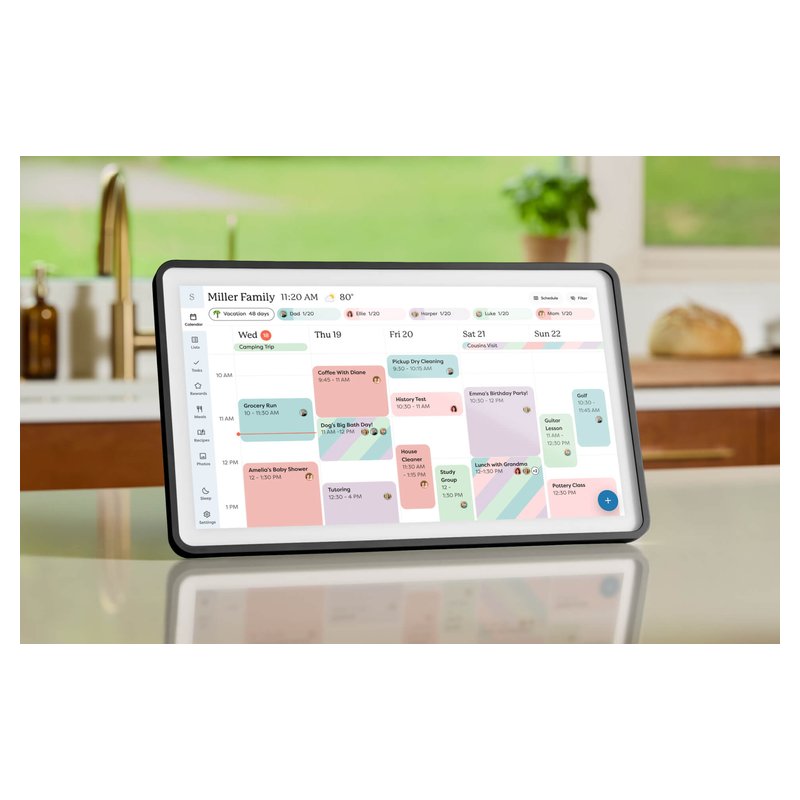
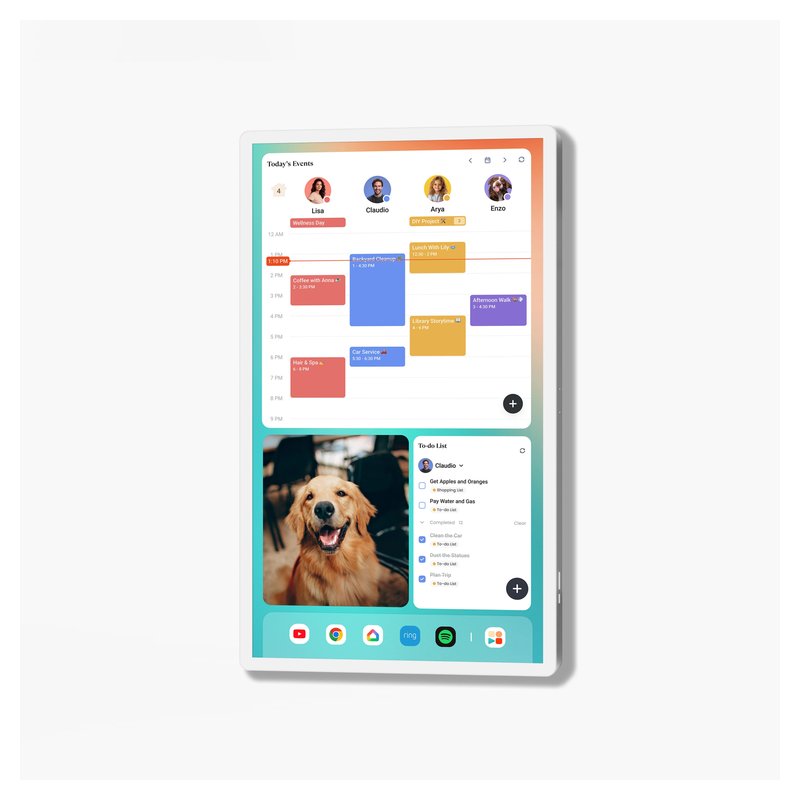
A digital wall calendar is a touchscreen that shows the calendars your family already keeps on their phones. You connect accounts such as Google or iCloud in the brand’s app, and the screen shows everyone’s events in one view, usually with a color for each person.
Most models then add family tools around the calendar. The details differ by brand:
- Calendar sync. Hearth says it brings Google, Outlook, Apple and Cozi calendars into one shared view. Cozyla adds CalDAV and calendar links from any URL.
- Chores and lists. Skylight says its Tasks Manager, custom lists and color coding stay free. Cozyla’s chores support points, reminders and repeat rules.
- Routines and rewards. Hearth lets kids earn stars for routines and to-dos and spend them on rewards you set.
- Meal planning. Cozyla’s meal planner builds grocery lists. Skylight puts meal planning behind its Plus plan.
What it does not do is run itself. Someone still has to add events to a phone calendar, set up profiles and keep chores current. The screen only shows what the family puts into it.
Who gets the most value
Based on what the brands describe, a wall screen earns its spot when several people need to see the same plans:
- Families with school-age kids. The week sits on the wall where kids can read it.
- Two working parents. Pew’s 2026 survey found 47% of working parents said work at least sometimes makes them miss their kids’ activities. A shared screen makes conflicts visible early.
- Mixed iPhone and Android homes. One screen can show an Apple calendar and a Google calendar side by side.
- Households that want chores in the same place. Chore charts let you assign and check off tasks next to the schedule.
Best for routines · Premium price range
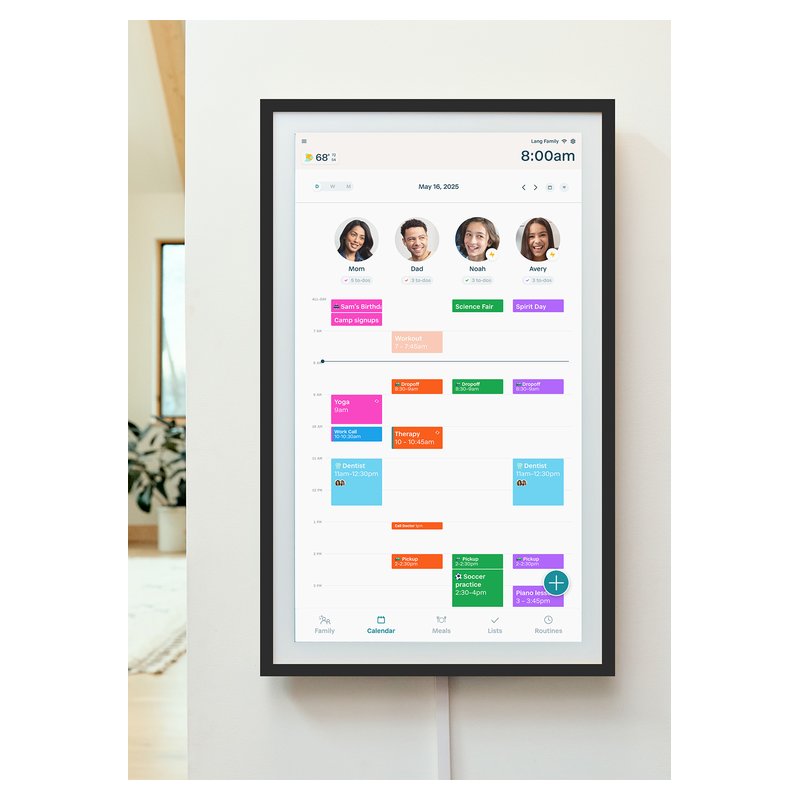
Hearth Display (27-inch)
A tall 27-inch portrait screen built around kids’ routines, to-dos and star rewards. Forbes Vetted names it best for families. Those extras need Hearth’s Family Membership.
Check frame colors ›Pew also found that among couples who both work full time, 52% said the mom does more of the day-to-day parenting tasks. A screen will not change who does the work, but it does put the plan where everyone can see it, not just in one parent’s phone.
Who should skip it (or stick with paper)
A digital calendar is the wrong buy in a few common cases:
- One person manages everything. If nobody else checks the schedule, a phone calendar already does the job.
- Nobody uses a phone calendar. These screens mirror online calendars. A family that lives on paper would need to change habits first.
- There is no outlet near the right spot. Skylight says its calendar must be plugged in and has no battery operation. Most brands describe plug-in power.
- Your Wi-Fi drops often. Skylight says its calendar needs Wi-Fi at all times, and Dragon Touch says its calendar needs to stay online.
- You will not pay a yearly fee but want meal planning or rewards. Pick a brand that says those are free, or skip the category.
If any of these apply, a large paper calendar or a free shared app is the cheaper test. Cozi, for example, lists a free plan at $0.
What it really costs over time
The screen is a one-time purchase. The ongoing cost depends on the brand, and it is easy to miss. Here is what each brand lists for its optional or required plan:
| Brand | Plan | What the brand says |
|---|---|---|
| Skylight | Plus, $79 a year after a free first month | Product page lists the calendar, Tasks Manager, lists and app as free (one Plus page lists chores under Plus); Plus adds meal planning, rewards, photos and Magic Import |
| Hearth | Family Membership, $9 a month or $86.40 a year | Needed for lists, routines, rewards and meal planning; Hearth’s pages disagree on whether it is needed to set up the screen |
| Cozyla (Plus 2) | Optional plan, $69.99 a year | Sync, chores, rewards and meal planning work without a paid plan |
| Everblog | None | All HomeCal features are free with no subscription |
| Dragon Touch | None monthly | No monthly subscription needed; Magic Import is a paid add-on |
| Bsimb | None | No subscription fees |
Prices are each brand’s own and can change. Skylight’s pages also disagree with each other: one help article values Plus at $79.99 a year rather than $79. The short list of calendars without a subscription is a good place to start if a yearly fee is a deal-breaker.
Power is the other running cost. No brand we found publishes measured power use. Skylight says its Sleep Mode (its pages disagree on whether it needs Plus) turns the screen off on a schedule, which it says lowers power use, and Hearth offers a similar daily Sleep Mode.
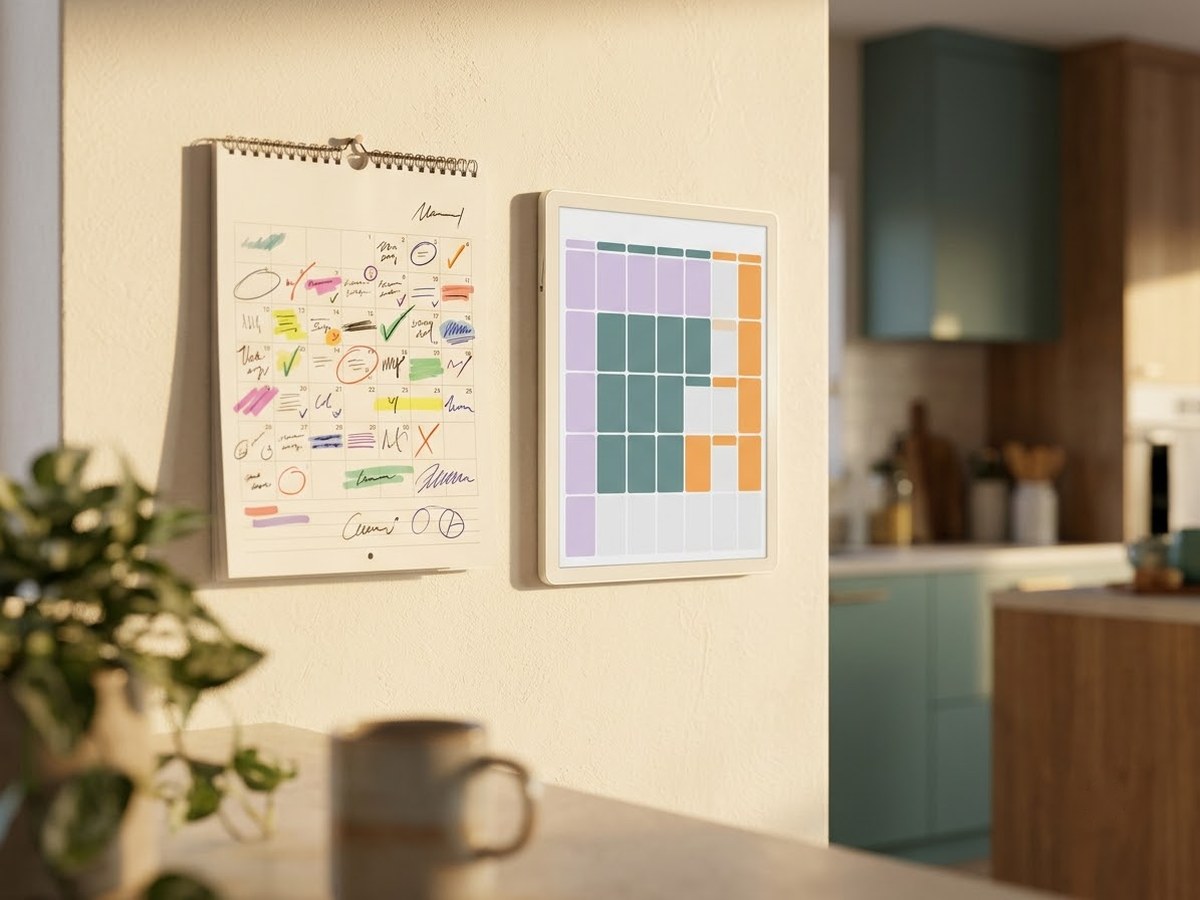
Paper, phone app or wall screen
If you are deciding between the three, this is how they compare on the things that matter day to day:
| Paper calendar | Free phone app | Digital wall calendar | |
|---|---|---|---|
| Seen without a phone | Yes | No | Yes |
| Updates from phones | No, written by hand | Yes | Yes, through the brand’s sync |
| Needs power and Wi-Fi | No | Phone only | Yes, per Skylight and Dragon Touch |
| Chores and lists | Only what you draw | Depends on the app | Built in on most models |
| Ongoing cost | A new calendar each year | Free tiers exist (Cozi Free is $0) | None to yearly fees, by brand |
The wall screen wins when the household needs one place to look. Paper wins on cost and simplicity. A phone app wins if everyone already checks their phone and nobody needs a shared view in the kitchen.
No fee, per the brand · Mid-range price range
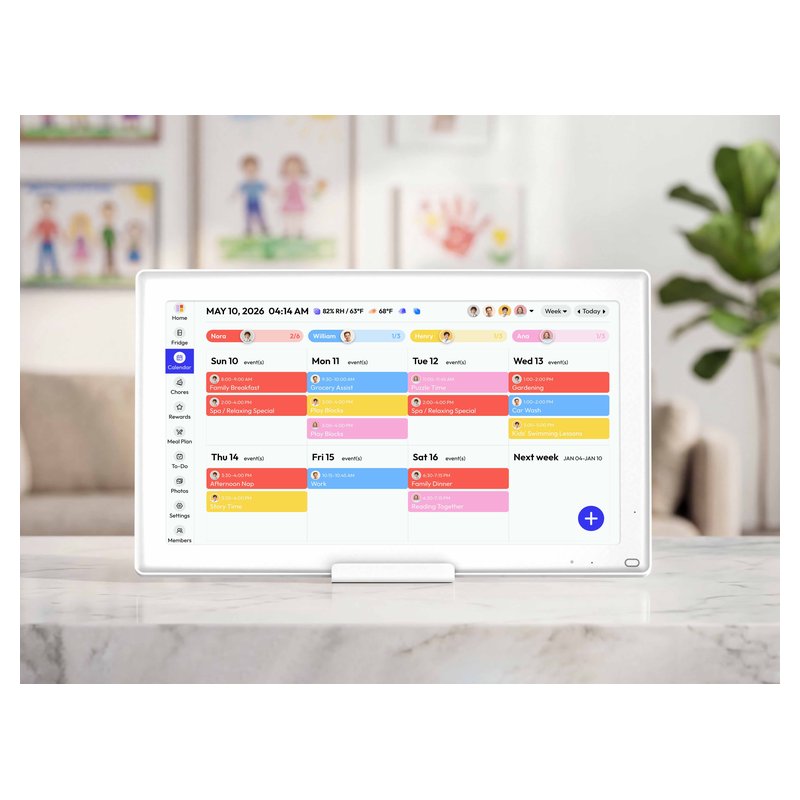
Everblog HomeCal (21.5-inch)
A 21.5-inch screen that Everblog says has every feature free, including meal planning and a points-based task manager. Forbes Vetted names it best without a subscription.
See today’s price ›How to decide in five minutes
- Count the people who need the schedule. Two or more who check it daily is a good sign.
- Check the calendars you already use. Make sure the brand lists Google, iCloud, Outlook or whatever your family keeps.
- Find the spot and the outlet. Note whether you want it on a counter or a wall, since some models are wall-only.
- Decide on fees up front. Read the brand’s free and paid feature lists before you buy, not after.
- Know the return window. Skylight lists 4-month free returns on myskylight.com orders, and Hearth lists 120-day free returns; check the return window on the listing you buy from.
Honest note
These screens have rough edges. The Gadgeteer reported event time errors and sleep settings that did not save on a Dragon Touch calendar. T3 found some third-party invites on a Cozyla did not sync until the phone app was opened. Warranty terms also depend on where you buy: Skylight says its 3-year Skylight Promise covers only purchases on myskylight.com, not purchases made on Amazon.
Questions people ask
Is a digital calendar better than a paper calendar?
It is better when several people need the same up-to-date schedule, because it updates from phones automatically. Paper is cheaper, needs no power or Wi-Fi, and works fine when one person keeps the plan and everyone else just reads it.
Do digital wall calendars need Wi-Fi?
Yes, the smart models do. Skylight says its calendar needs Wi-Fi at all times, and Dragon Touch says its calendar needs to stay online. Simple day clocks such as American Lifetime’s have no Wi-Fi and no calendar sync at all.
Do I have to pay a monthly fee?
It depends on the brand. Skylight says its core calendar is free and sells Plus at $79 a year. Hearth says its Family Membership is required to set up the display. Everblog and Bsimb say they charge no subscription.
Can a tablet do the same job?
Partly. Apple’s Guided Access can lock an iPad to a single app, and services such as DAKboard and Mango Display run on screens you already own. A tablet lacks the wall mount and family tools that dedicated calendars include.
Which digital wall calendar do reviewers recommend most?
Forbes Vetted names the Skylight Calendar 2 best overall, Hearth best for families, Cozyla Calendar Plus 2 best advanced pick and Everblog HomeCal best without a subscription. Your best choice still depends on fees and where it will go.
Read first: best digital wall calendar · digital calendars for families
Sources: Skylight Support: What Skylight syncs with · Skylight: Calendar product page · Hearth Display Help: Family Membership · Cozyla: Calendar · Pew Research Center: Working parents · Forbes Vetted: Best digital calendars
Specifications, features and subscription terms are each brand’s own and can change; check the product page and the brand’s help center before you buy. Follow the brand’s mounting and power instructions.